Fill client job orders faster
From a client’s email to their shortlist
Take the job order
Paste the client’s email. The fields are pulled out for you, and the posting rules are set from the client’s sites and headcount. Assignment employees count toward the agency, as Ontario’s rules expect.
Post it on your careers page
One bilingual posting on your own board, checked against the Ontario and Quebec rules before it goes live, and sent to the job boards you use.
Triage the applicants
Rank against the client’s criteria with the quotes behind each score, filter by knock-out answers, and compare the top candidates with names hidden.
Reach out with consent
Approve drafts in each candidate’s language, with the consent basis beside each one. Candidates who unsubscribed are blocked.
Send an anonymized shortlist
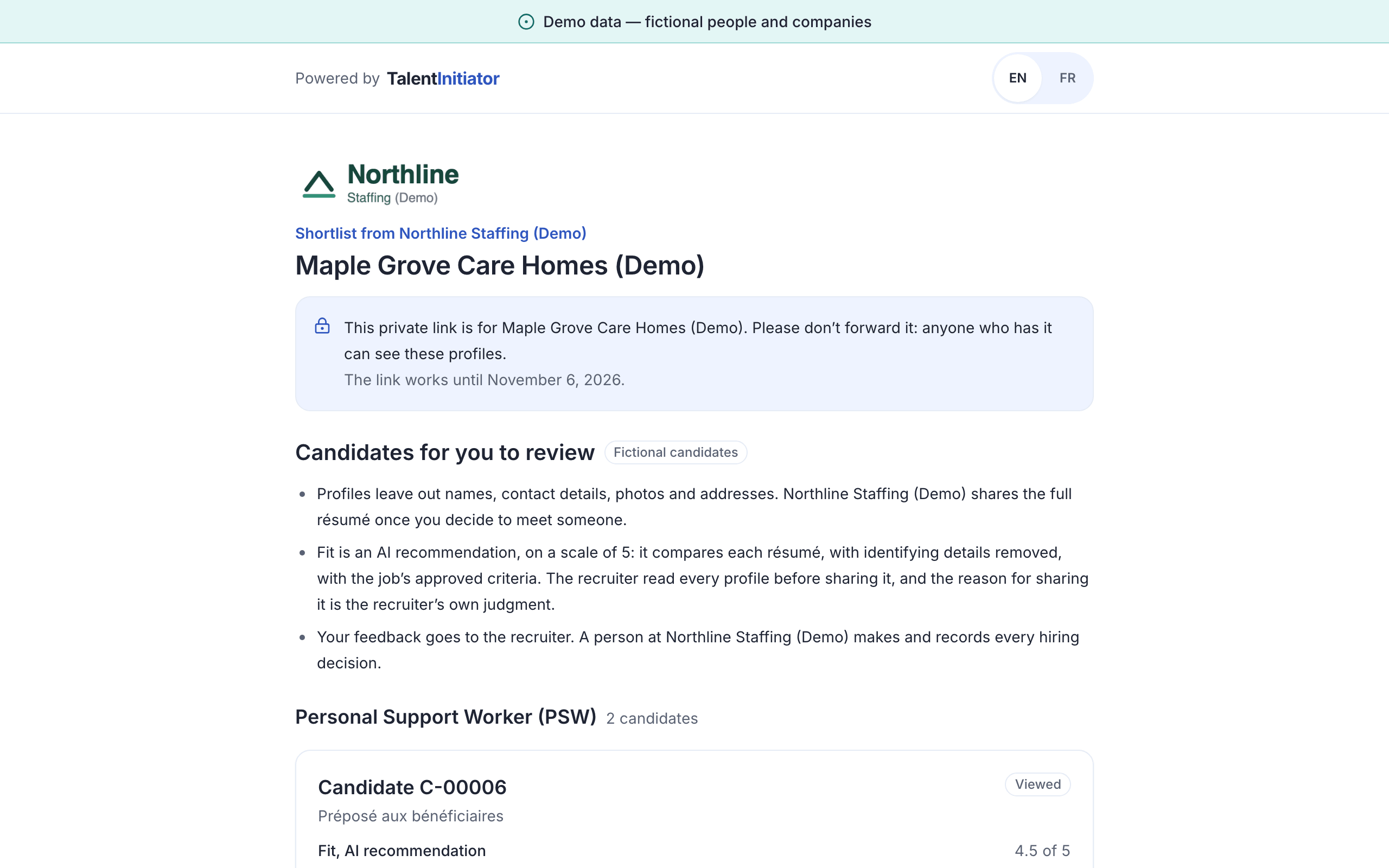
Share a private link with the client. They review the candidates without names, pick interview times and leave feedback, all without an account.
Close the loop
Record each decision with a reason, and send the outcome notice on time. The client’s file and yours stay in step.
A client portal without accounts
- Candidates appear by reference, without names, photos or contact details, until you decide to share more.
- Each candidate comes with the quotes that support the recommendation, so the client sees why they were shortlisted.
- Clients pick interview times from the slots you propose.
- Feedback is recorded on the submittal, with the date and the client contact who left it.
- Links are private to one client and expire.
Priced per recruiter seat
$199 per recruiter seat per month
3 seats minimum
- 1,000 pooled contact credits a month included
- Hiring Manager seats at $49 a month, for people who review and decide on assigned jobs
- Client Viewer seats at no charge, for clients reviewing shortlists
- Prices in Canadian dollars, taxes extra.
Keep the ATS you already run
CSV and JSON exports of candidates, submittals and decisions work today.
Sync with agency ATS products
| ATS | Live sync |
|---|---|
| Bullhorn | Simulated Waiting on: API access through Bullhorn’s partner program, not applied for yet. Planned for release 1.0, target Q4 2027 |
| Manatal | Simulated Waiting on: A Manatal API key from each customer and a check of the field mapping against Manatal’s documentation. Planned for release 1.0, target Q4 2027 |
| Recruiterflow | Simulated Waiting on: Recruiterflow API access and a check of the field mapping against its documentation. Planned for release 1.0, target Q4 2027 |
States as of October 9, 2026. We check them again by November 30, 2026.
Your Ontario recruiter licence
- The licence number is captured when your account is set up and shown in the compliance centre.
- A link to the public register lets anyone on your team check it. The product does not query the register itself.
- If the number is missing, the compliance centre says so before you publish.
Licensing in force since July 1, 2024