Outreach and screening conversations
TalentInitiator drafts the messages and runs the first screening questions, so recruiters spend their time on the candidates who fit. Nothing reaches a candidate without a recruiter’s approval and a recorded consent basis.
Every message is approved before it goes out
Drafts arrive in each candidate’s language with the consent basis beside them. The recruiter approves, edits or holds each one.
- Drafts are written in the language the candidate used, English or French.
- Each draft shows its consent basis: express consent, implied consent with its source and end date, or an application to your job.
- Candidates who unsubscribed are blocked, with the reason shown, and cannot be added back by mistake.
- The approval step is part of every sequence and cannot be turned off. Sequences stop when the candidate replies.
A screening chat that tells candidates what it is
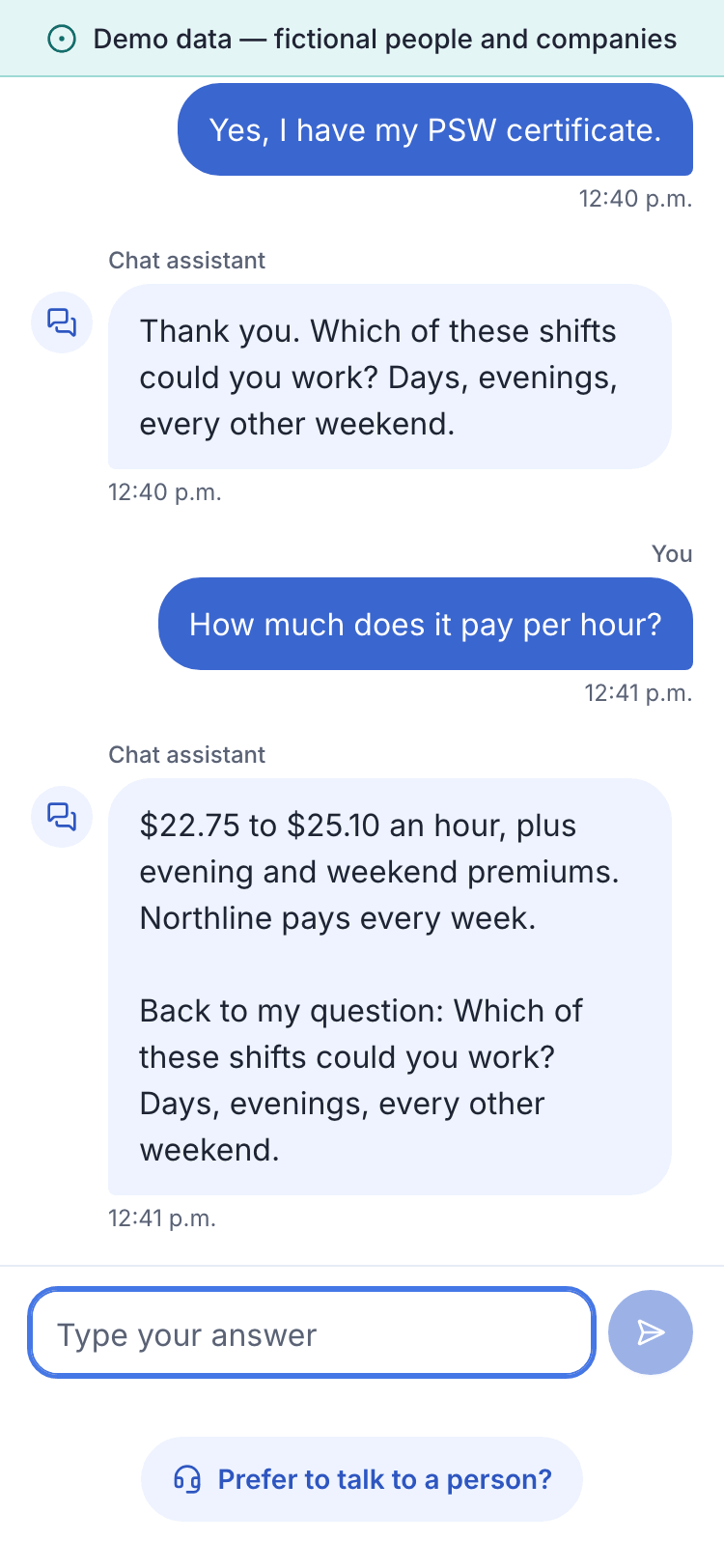
A short conversation on the web asks the questions you set for the job. It works on a phone and keeps a person within reach.
- The candidate reads who is asking, that answers go to a recruiter and that a person decides, before the first question.
- The questions come from your rubric: knock-outs, availability, location and pay expectations. The AI rephrases and records answers; it does not invent questions.
- Questions about the job are answered only from the details you approved. Anything else goes to a recruiter.
- “Talk to a person” is on every screen and creates a task for the recruiter.
- The candidate can switch between English and French in the middle of the chat, and the choice is kept.
- A failed knock-out is a recommendation for the recruiter, not a rejection.
CASL consent and unsubscribes
Canada’s anti-spam law puts the burden of proof on the sender. The product keeps the proof as it goes.
- Each consent is stored with the text the person saw, the time, the channel and, for implied consent, its source.
- Every email carries the sender’s name, mailing address and a way to reach them, from a footer that drafts cannot remove.
- Unsubscribing takes effect at once, although the law allows up to 10 business days, and the link keeps working for at least 60 days.
- An address that unsubscribed stays blocked even after the candidate’s other data is deleted.
- Consent records can be exported per candidate or for your whole account.
Sending today
Messages are stored exactly as they would be sent. Live delivery is waiting on the steps below.
| Channel | State |
|---|---|
| Email delivery | Simulated Waiting on: Production access to Amazon SES in Canada (Central) and the sending domain’s records. Planned for release 0.2, target Q1 2027 |
| Text messages | Simulated Waiting on: Verification of a Canadian toll-free sending number with Twilio, which typically takes two to three weeks. Planned for release 0.2, target Q1 2027 |
States as of October 9, 2026. We check them again by November 30, 2026.
Approve outreach, then read the chat
In the demo, outreach waits for your approval in each candidate’s language, and one candidate is blocked because they unsubscribed. The screening chat opens on a phone, as the candidate sees it.